Run a Secret Santa
Wantalot draws names for you, keeps partners apart if you like, and shows each person who they're giving to along with that person's wishlist.
Create the exchange
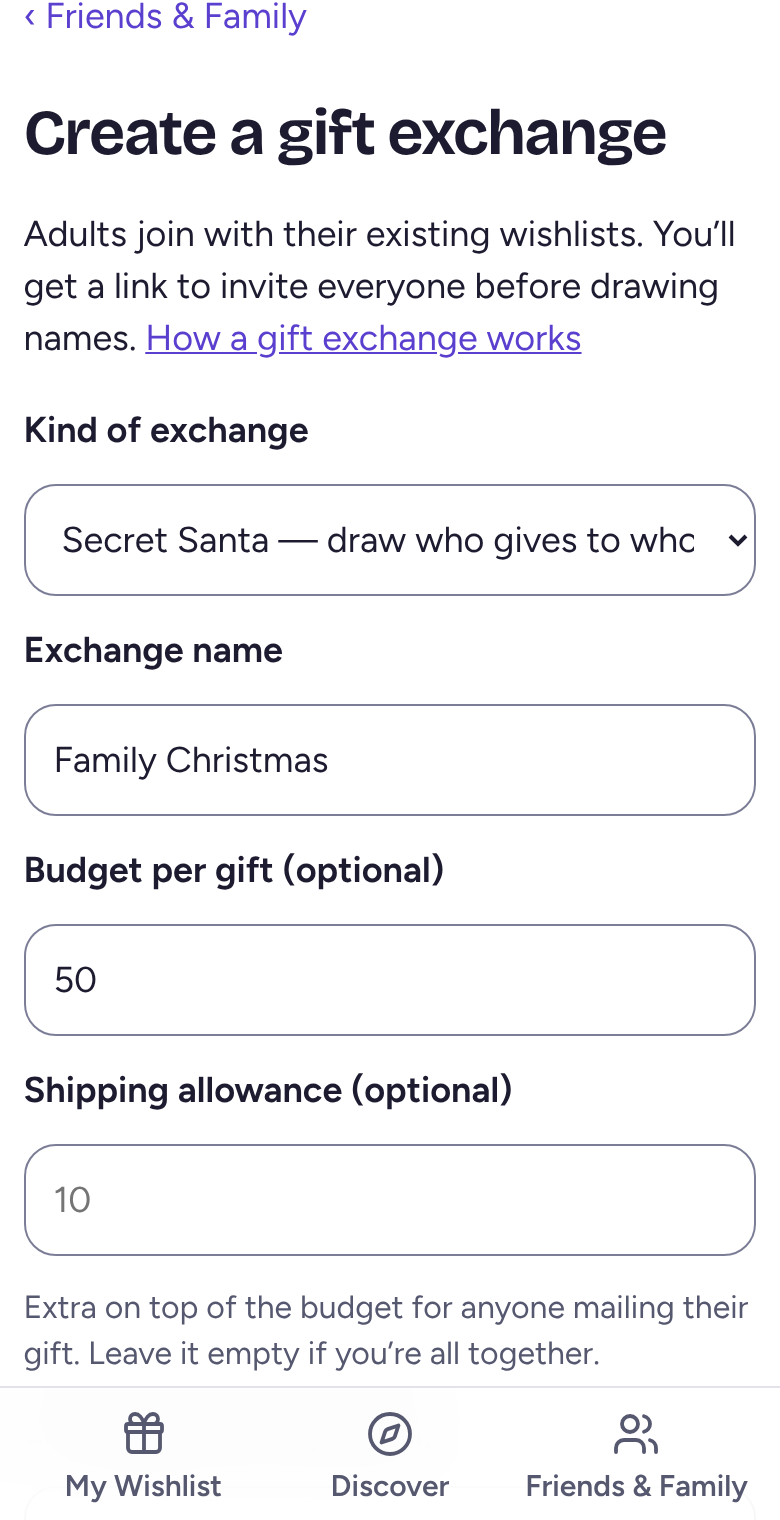
Tap Friends & Family, then Create an exchange. Give it a name, and add a budget and date if you like. Choose who sees the pairings, then tap Create exchange.
Invite the family
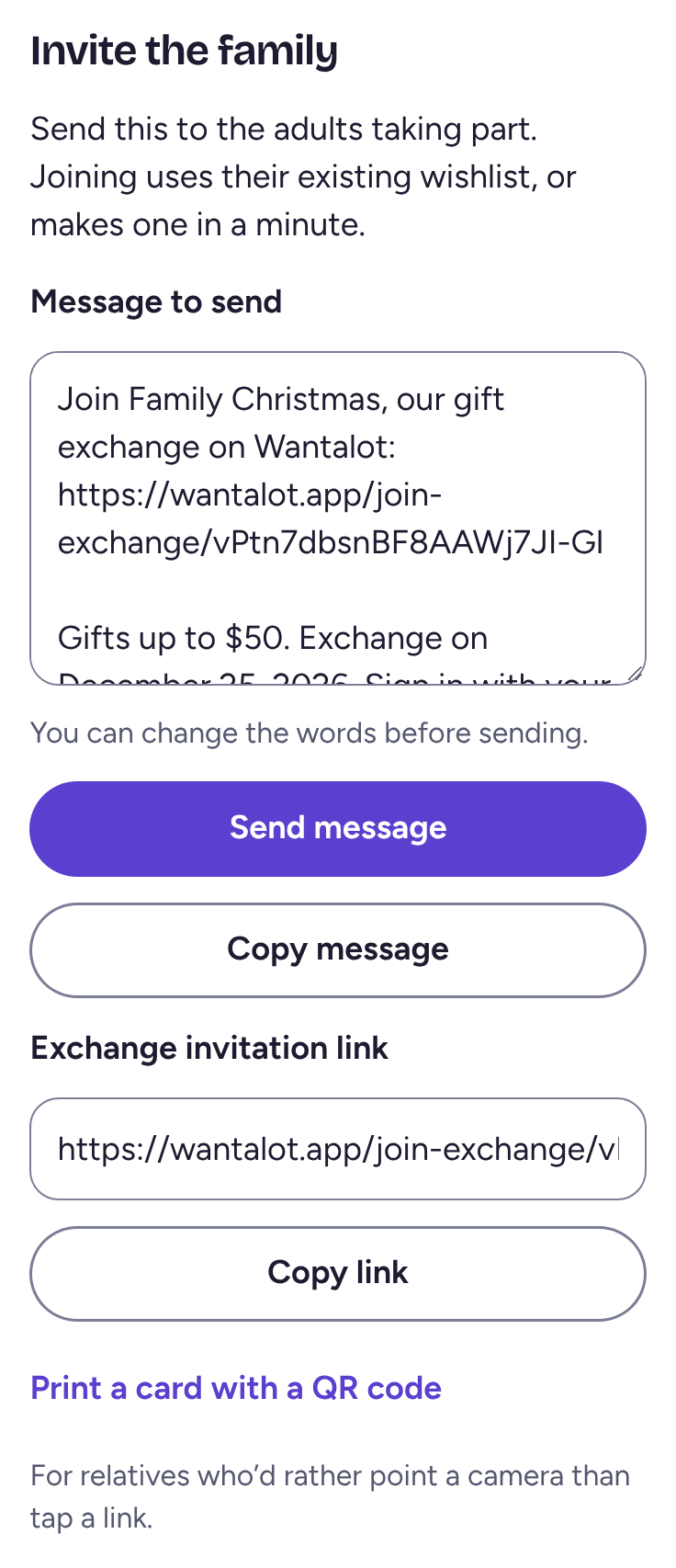
Under Invite the family, tap Send message (or Copy link) and send it to the adults taking part. They tap it and Join exchange, using their own wishlist.
Kids' lists you run can be linked in, so givers can shop from them too.
Keep people apart, then draw
To stop someone drawing their partner, go to People who shouldn't get each other. Pick them in Who and Shouldn't get, keep Both ways (for couples) ticked, then tap Add.
When everyone's in, tap Draw names, or set a day and time for it to happen on its own. Each person then sees who they're giving to and can open that person's list.
Related
Still stuck? Email hello@wantalot.app and a person will answer, usually within a day.
About WantalotGift ideasSecret SantaChristmas listsWhat’s newPrivacyTermsHelp