Find new things you’ll love, and keep them on one wishlist
Discover suggests things from real stores and says why each one fits you. Save anything from any store, share one link, and family can pick gifts without you ever seeing who got what.
Free. No password, and the people you share with never need an account.
How it works
Save anything
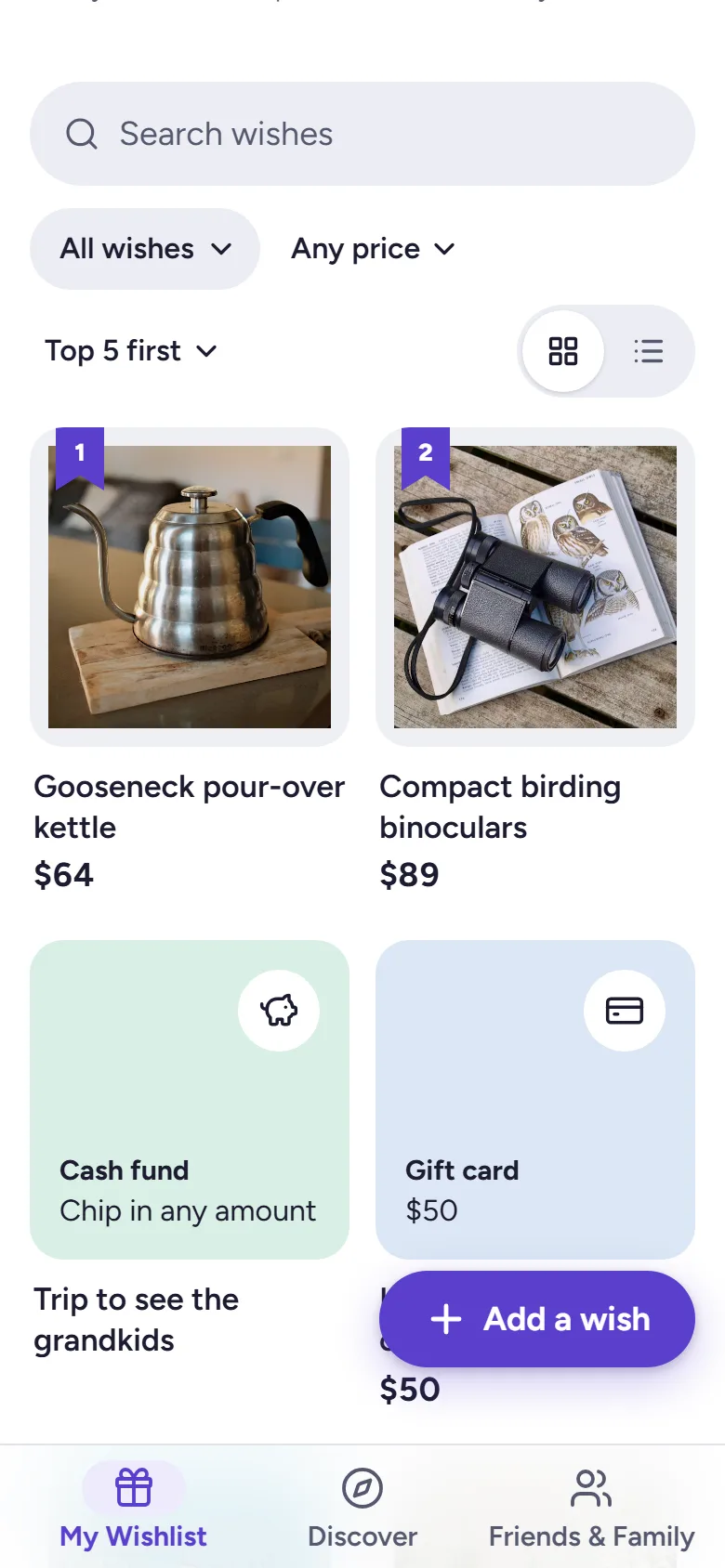
Paste a link from any store and Wantalot fills in the name, photo and price. Or add from a photo or barcode, or just write an idea down, like “a pottery class.” Gift cards and cash funds work too.
Share one link
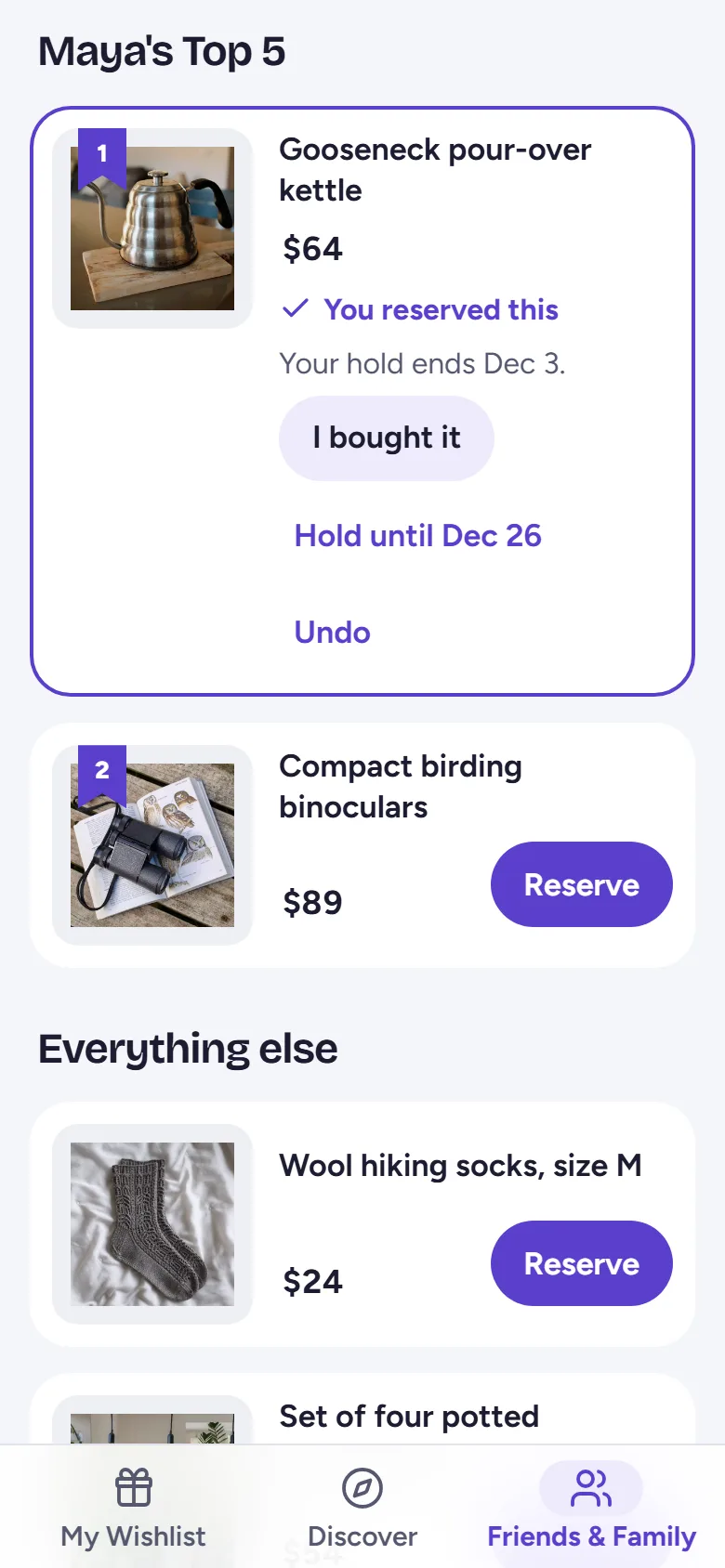
Send your list by text or email. Family and friends tap Reserve with just their first name, so nobody buys the same thing twice, and you never see what's been reserved.
Give together
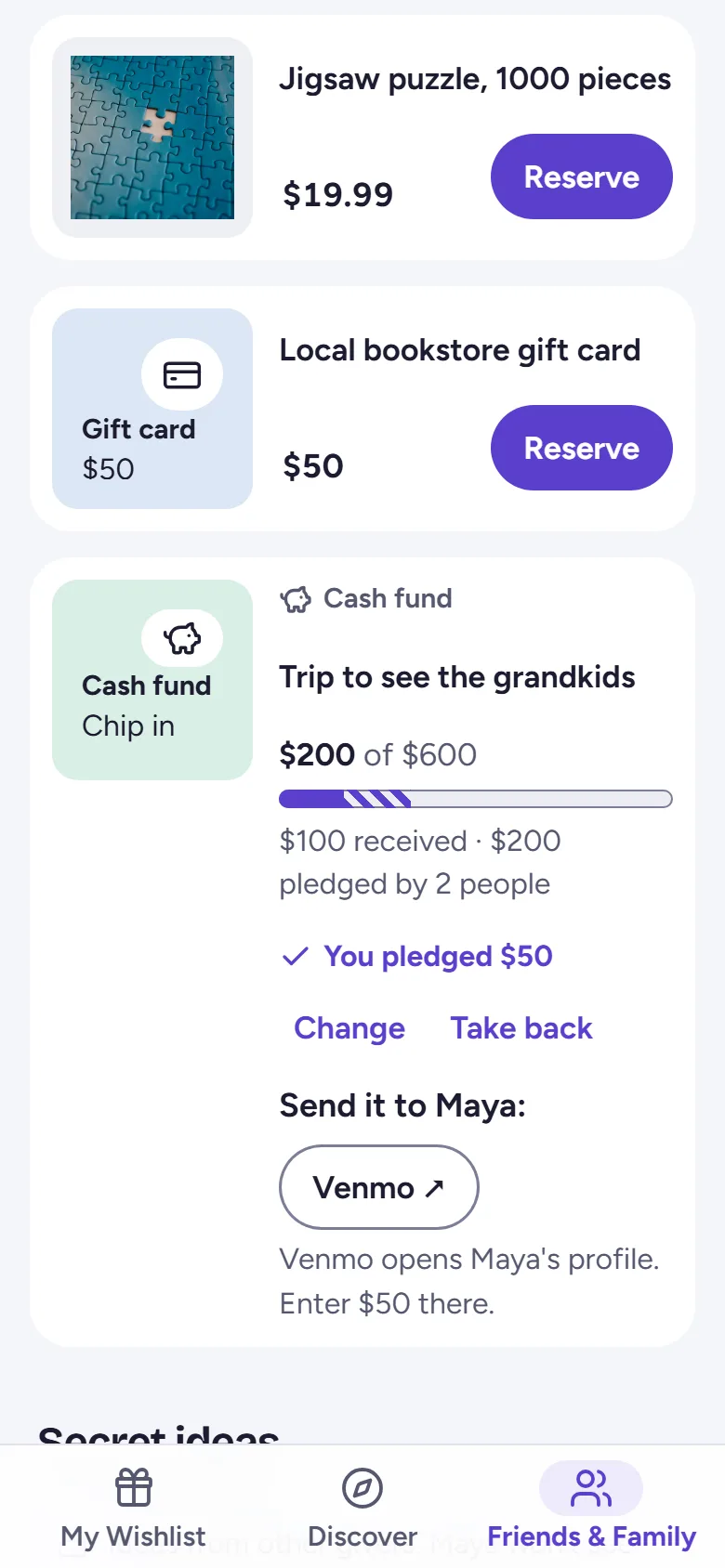
Chip in on something big with a group gift or cash fund: money goes straight to the person through their own Venmo, PayPal or Cash App. Or draw names for a Secret Santa that keeps every match secret.
Made for families
Surprises stay surprises
Choose who sees each wish. Owners never see reservations, and people can add secret gift ideas the owner never sees.
Kids' lists, run by grown-ups
Make a list for a child and share it with another adult. Wantalot asks nothing about the child.
Gift ideas with a reason
Discover suggests things from real stores based on what you save and the interests you pick, and says why each one is there.
Secret Santa, sorted
Invite by link, set a budget, keep partners apart, and schedule the draw. Late joiners and dropouts are handled without spoilers.
Your gift shopping, tracked
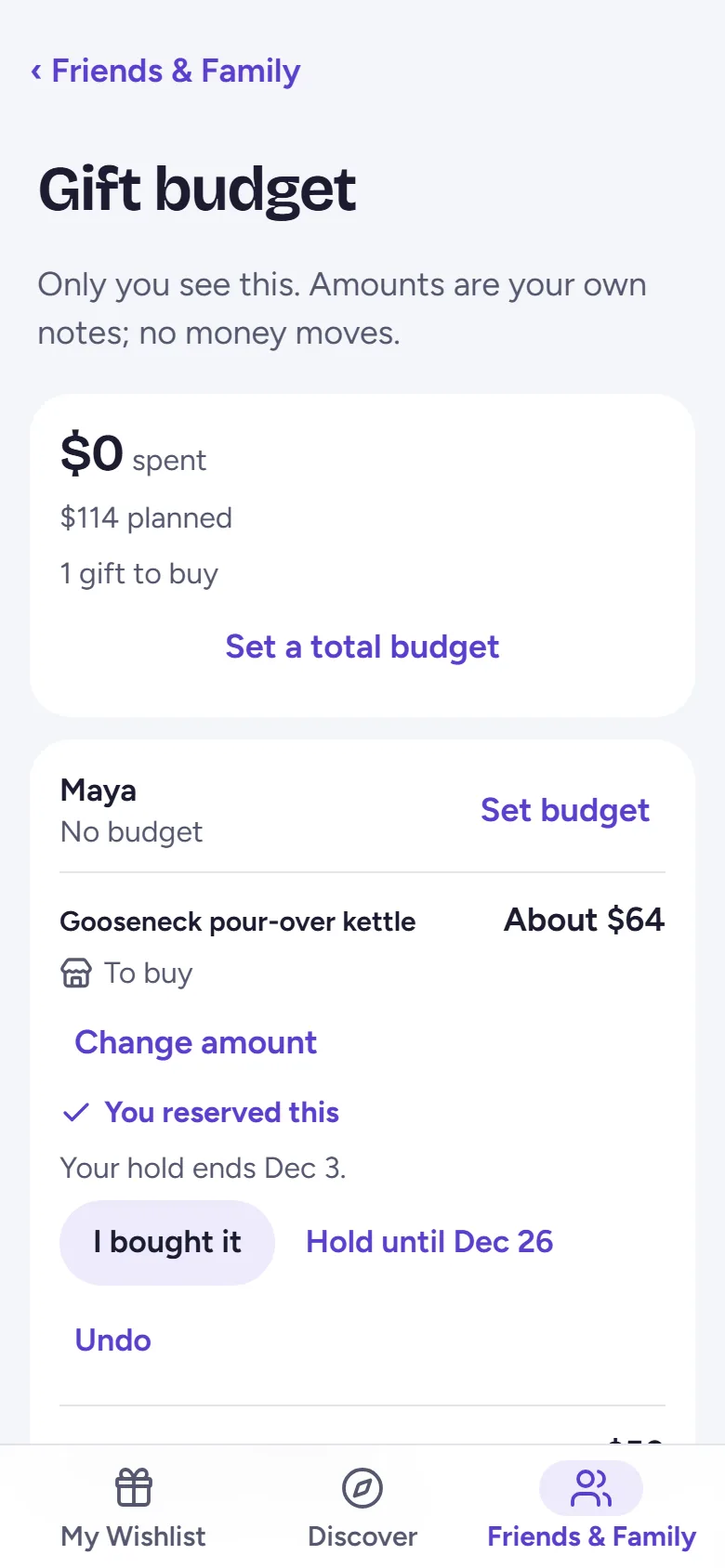
Gifts you’re giving keeps what you’ve reserved and bought in one place, with a private budget.
Bring your old lists
Import from Amazon, Giftster, Giftlist, Listful and mywishlist.online, and check everything before it’s added.
Save from anywhere
iPhone app
Tap Share in Safari or a store’s app and choose Wantalot. It reads the page on your phone and saves the name, photo and price.Get it on the App Store
Android app (beta)
Tap Share in Chrome or a store’s app and choose Wantalot, the same way. While it’s in beta on Google Play, join the beta group first, then become a tester and install it. Coming soon to its store.
Chrome extension
Click Save to Wantalot on any product page, and the wish lands on your list with its photo and price.Add to Chrome
Any other browser
A Save to Wantalot bookmark does the same in Safari, Firefox and Edge on a computer.
Need a gift idea now?
Browse our gift guides, or tell the gift finder who you’re shopping for, their interests and your budget. No account needed.
How Wantalot makes money
Some links to stores may be affiliate links. If you buy something through one, Wantalot may earn a small commission, at no extra cost to you. Commissions never decide what Discover shows you or in what order. As an Amazon Associate I earn from qualifying purchases. The term “Etsy” is a trademark of Etsy, Inc. This application uses the Etsy API but is not endorsed or certified by Etsy, Inc.
There are no ads and no third-party trackers. We never sell your information. Wishes are only found through links you share yourself.
Who runs Wantalot
Wantalot is an independent project, built and run by Charlie. It started as a way to keep a family’s Christmas lists in one place without spoiling anyone’s surprise, and it’s not owned by a store. Questions, ideas or problems reach a person at hello@wantalot.app.
Free, and open to everyone
Make an account with just your email: there’s no password, and the people you share your list with never need one.
About WantalotGift ideasSecret SantaChristmas listsWhat’s newPrivacyTermsHelp