Reserve a gift from someone's list
Someone sent you their wishlist. Reserving a gift tells everyone else it's taken, so nobody doubles up. The person whose list it is never sees who reserved what, so it stays a surprise. You don't need an account or an app.
Open the link
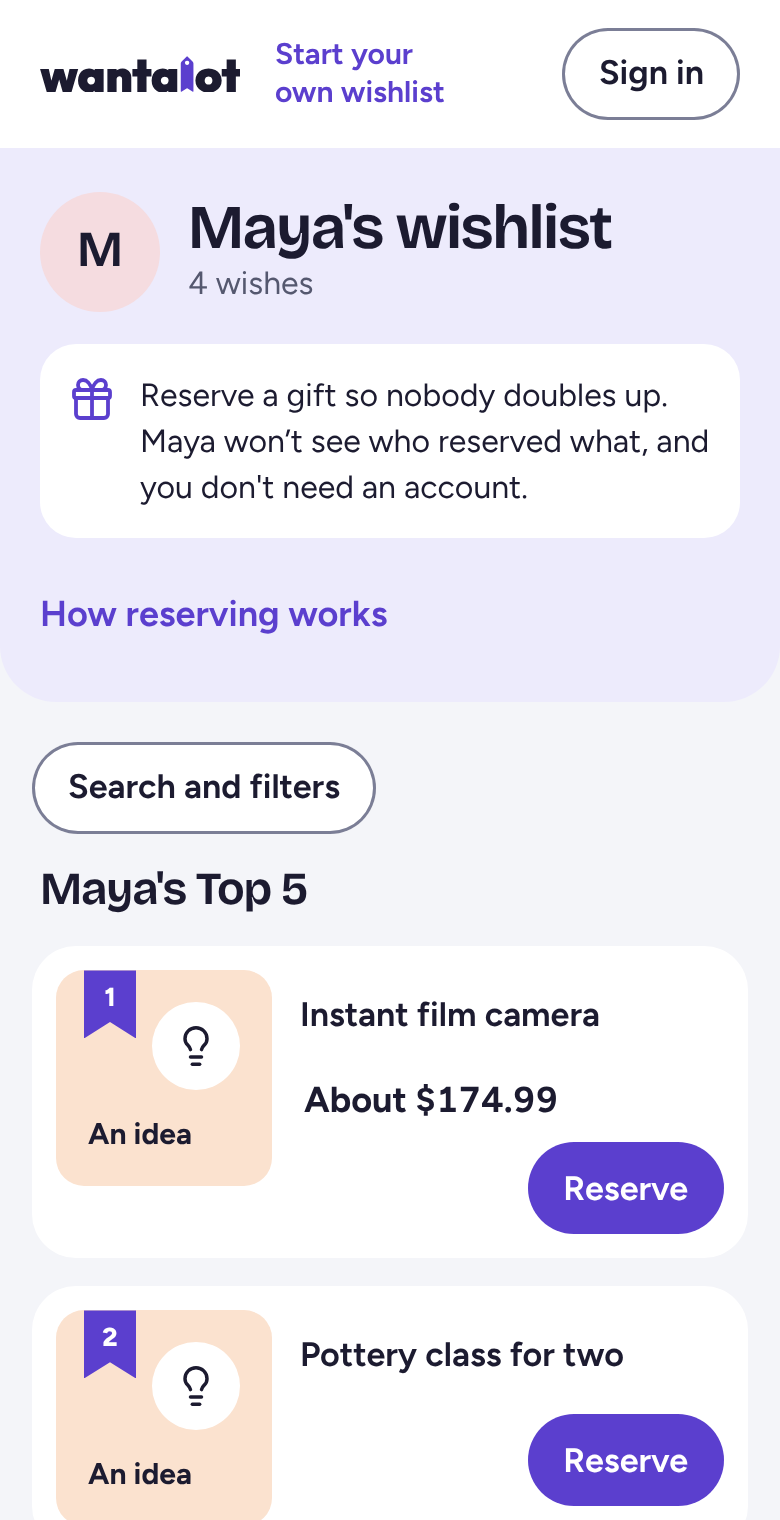
Tap the link they sent you. Their list opens in your browser, with their favorites first.
Tap Reserve and type your name
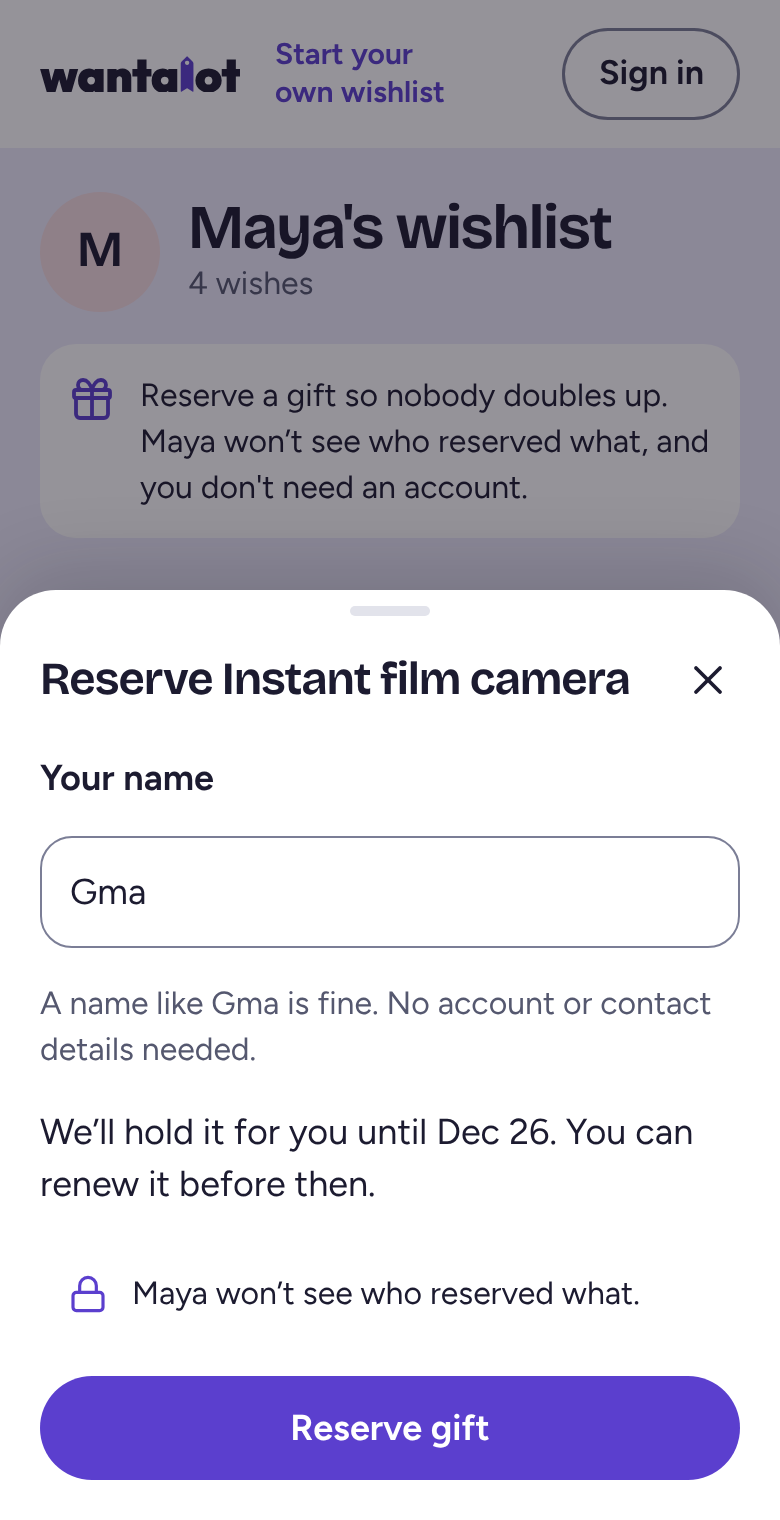
Tap Reserve under the gift you want to give. Type any name the family will recognize, like Gma, then tap Reserve gift.
We hold the gift for you for 30 days, or until just after the holidays or their birthday when one is coming up. You can renew it before then.
Keep your private link
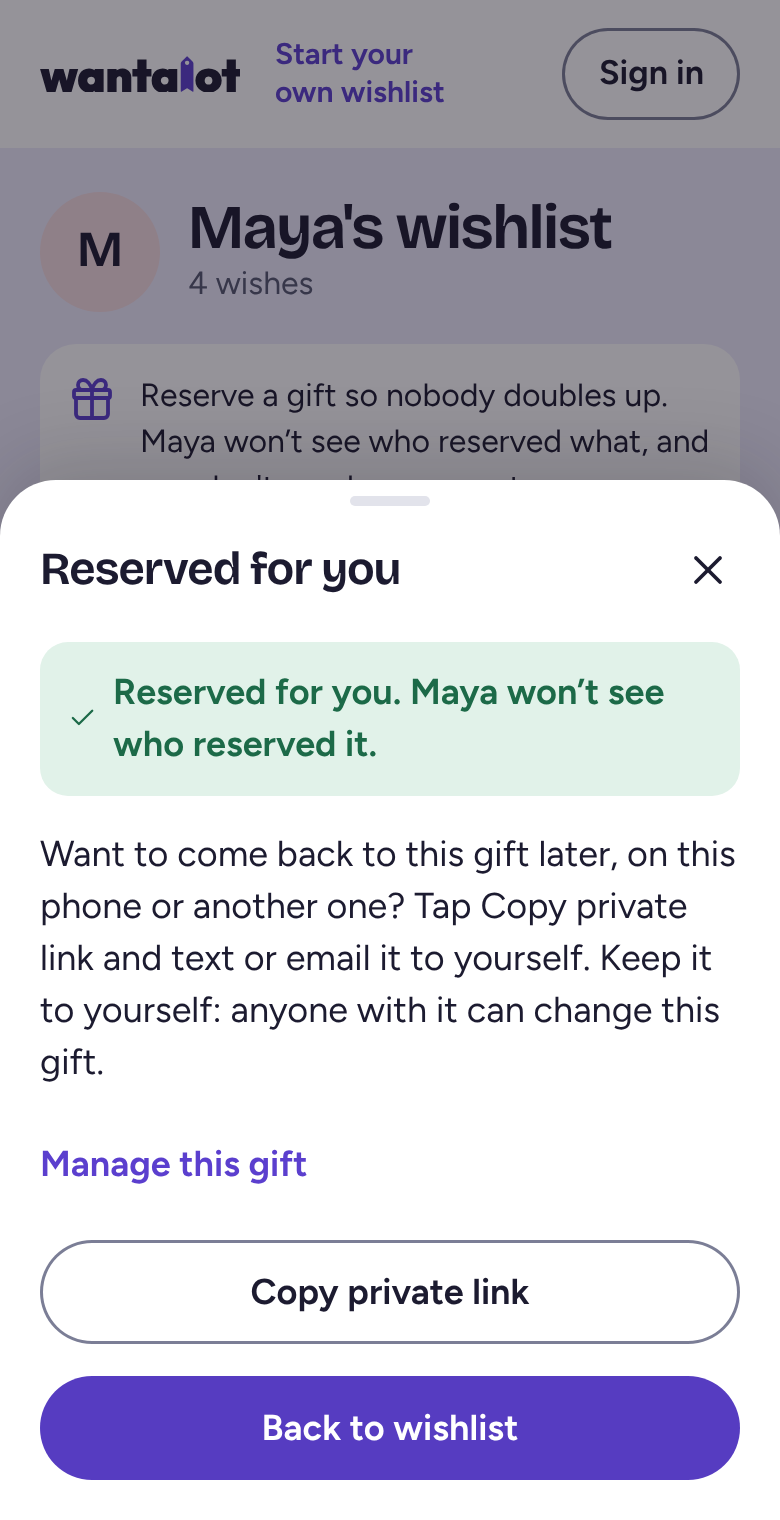
You'll see Reserved for you. Tap Copy private link and keep it somewhere safe, like a note or an email to yourself. It's how you come back to mark the gift bought, renew it, or let it go.
Signed in? Then you don't need the link: your gifts are under Friends & Family.
Related
Still stuck? Email hello@wantalot.app and a person will answer, usually within a day.
About WantalotGift ideasSecret SantaChristmas listsWhat’s newPrivacyTermsHelp