Share your wishlist with family
Your list has one link. Send it to anyone you'd like to shop for you. They can see your wishes and reserve gifts, and you never see who reserved what.
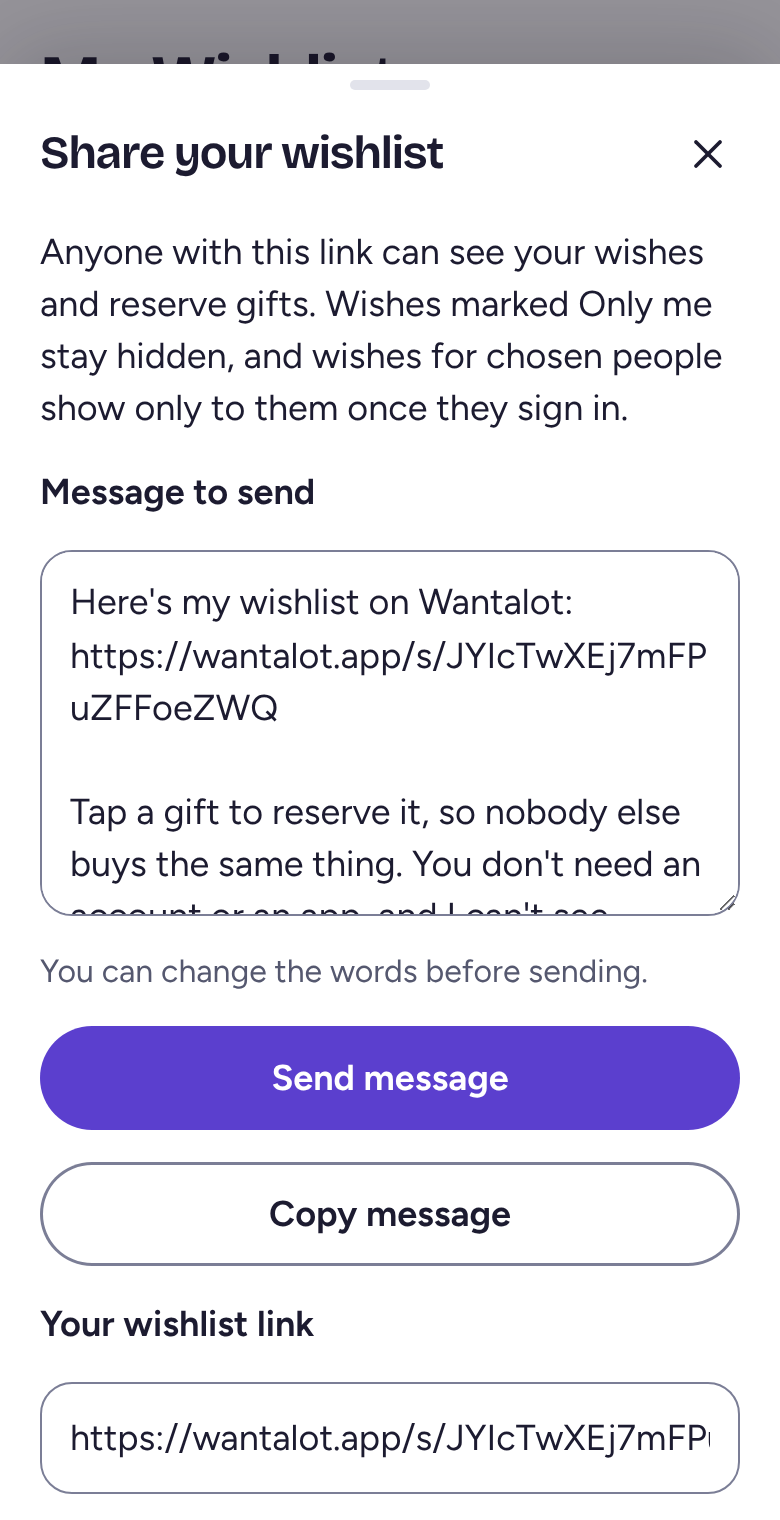
Tap Share
On My Wishlist, tap Share. Wantalot writes a short message with your link in it, and you can change the words.
Tap Send to family to pick Messages, Mail or another app. To change the words first, tap Edit the message that goes with it; there you can also tap Copy message to paste it anywhere.
For relatives who'd rather not tap links
Tap Print a QR code card. They point their phone's camera at the card, and your list opens.
Check what they'll see
Tap See what they see. Wishes you've marked Only me never show. If the link ever ends up somewhere it shouldn't, Reset the link, at the bottom of the sheet, makes a new one and stops the old one working.
Related
Still stuck? Email hello@wantalot.app and a person will answer, usually within a day.
About WantalotGift ideasSecret SantaChristmas listsWhat’s newPrivacyTermsHelp